
how to call the philippines
How to Call the Philippines From Any Country Made Easy

Ready to call the Philippines but not sure where to start? Don't worry, it's simpler than you think. Getting your call to connect successfully just comes down to a simple, three-part formula.
Think of it like an address for your phone call. Each part of the number guides it to the right place.
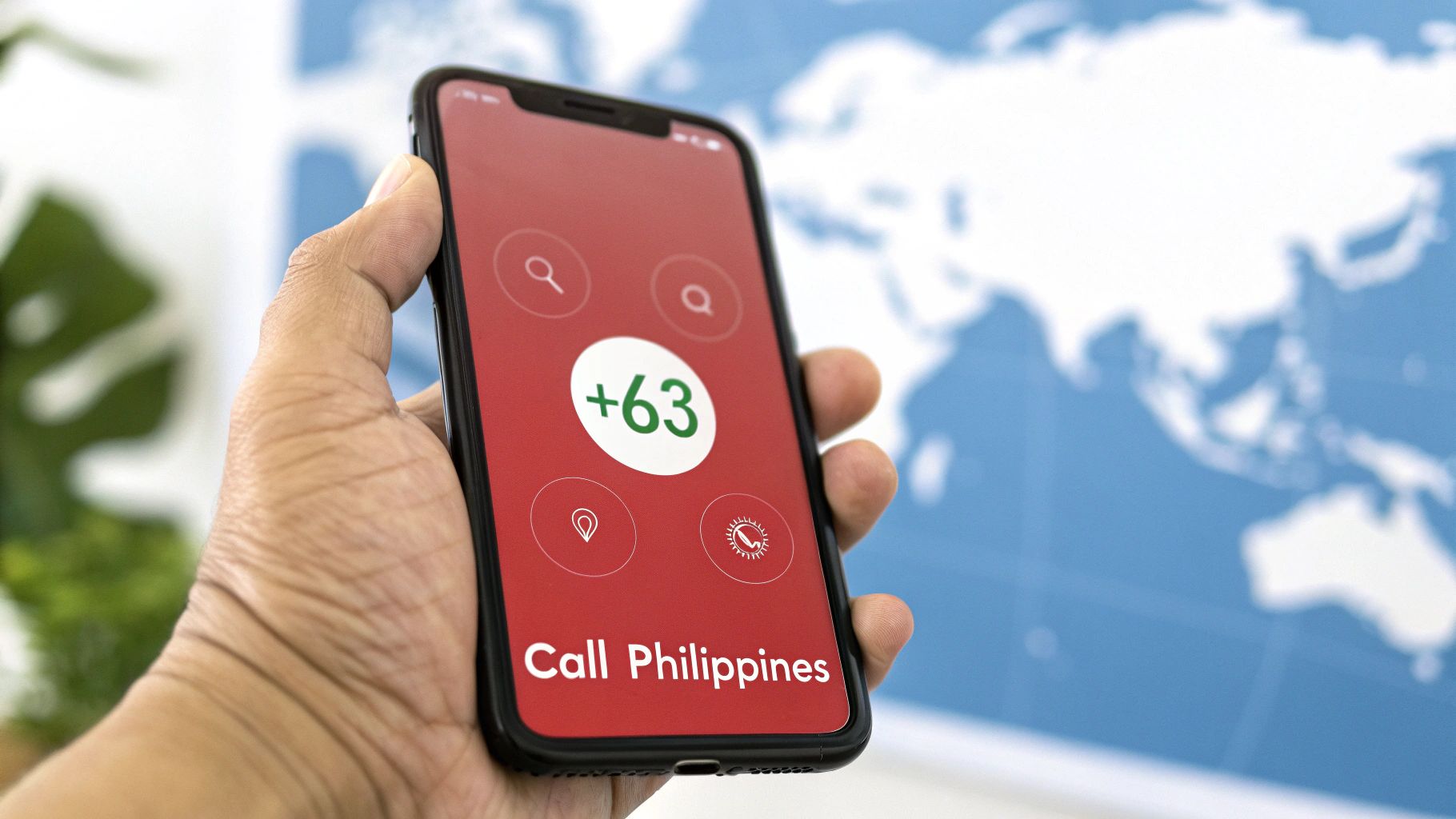
First, you'll dial the international exit code for the country you're calling from. This little number tells your phone provider you're making a call that's heading out of the country. For example, if you're in the United States or Canada, your exit code is 011. If you're dialing from the UK or most European countries, it's 00.
Next up is the Philippines' country code, which is always +63. This is the most important part—it directs your call to the right country.
Finally, you dial the local Philippine number. This is where most people trip up, so pay close attention: you must drop the leading "0" from the local number. Whether it's a mobile number (which usually starts with a 3-digit code like 917) or a landline (which has a 2-digit area code like 2 for Manila), that first zero has to go.
Pro Tip: If you're calling from a mobile phone, you can skip the exit code (like 011 or 00) and just press and hold the '0' key to get the plus sign (+). The
+automatically acts as the correct international exit code, no matter where you are in the world. It’s a lifesaver.
To make things even easier, here’s a quick-reference table with the essential codes you'll need.
| Code Type | Code Number | When to Use It |
|---|---|---|
| Country Code | 63 | Always use this after your country's exit code. |
| Manila Area Code | 2 | For calling landlines in the Metro Manila area. |
| Cebu Area Code | 32 | For calling landlines in Cebu City and nearby areas. |
| Globe Mobile Prefix | 917 | One of the most common prefixes for Globe mobile numbers. |
| Smart Mobile Prefix | 919 | A common prefix for Smart Communications mobile numbers. |
Keep this table handy, and you'll be dialing like a local in no time.
Let's walk through a couple of real-world examples to see how this works in practice.
Calling a landline in Manila from the US:
Calling a Globe mobile number from the UK (using a cell phone):
Once you get this simple formula down, you're golden. It’s the key to making sure your call connects on the first try, saving you from the frustration of failed attempts.
Okay, you've got the exit and country codes sorted. Now for the final piece of the puzzle: the local Philippine number itself. This is where a tiny detail can mean the difference between connecting with family and hearing a frustrating "number not found" message.
The system is pretty straightforward once you get the hang of it, but there's one golden rule you absolutely must remember.
When you call the Philippines from another country, always drop the leading '0' from the local number. Domestic numbers in the Philippines start with a zero, but that's just a trunk prefix for calls made within the country. When you're dialing internationally, it's useless and will stop your call from going through.
Forgetting to drop that initial '0' is the single most common mistake people make. I've seen it happen countless times. Your call simply won't connect if you leave it in.
Next, you need to know if you're calling a landline or a mobile phone. Their numbering formats are completely different, and mixing them up won't work.
This is a crucial step because it determines what digits come right after the +63 country code. A call to a landline in Manila will look like +63-2-xxxx-xxxx, while a call to a Globe mobile number will be formatted as +63-917-xxx-xxxx.
To help you get it right every time, here’s a quick-reference table for some of the most common codes you'll run into.
This table gives you a quick lookup for major landline area codes and the prefixes for the country's top mobile networks. Getting this part right ensures your call is routed to the correct city or person.
| Location / Mobile Network | Area Code / Prefix | Example Dialing (from US) |
|---|---|---|
| Manila (Landline) | 2 | 011-63-2-xxxx-xxxx |
| Cebu (Landline) | 32 | 011-63-32-xxx-xxxx |
| Davao (Landline) | 82 | 011-63-82-xxx-xxxx |
| Globe (Mobile) | 917, 927, 905 | 011-63-917-xxx-xxxx |
| Smart (Mobile) | 918, 919, 920 | 011-63-919-xxx-xxxx |
Knowing these codes and remembering to drop that initial zero is the key. It makes sure your call connects to the right person, on the right network, in the right city—without any guesswork.
When you need to call the Philippines, you've got a few options, and the right choice really boils down to cost versus convenience. Most people automatically think of using their landline or just dialing directly from their mobile. They work, but you'll almost always pay a steep price for it.
Landlines are usually the most expensive route. Major carriers hit you with high per-minute rates and often sneak in extra international fees. A long chat with family can quickly turn into a shockingly high phone bill. Dialing from your mobile isn't much better—while it's convenient, you can get slammed with crazy roaming charges and per-minute costs from your provider.
This is where Voice over Internet Protocol (VoIP) apps completely change the game. Instead of using old-school phone lines, these services send your call over the internet, which slashes the cost.
Imagine you're a small business owner in the US who needs to make regular calls to a virtual assistant in Manila. Dialing directly would be a huge, unsustainable expense. By switching to a VoIP app, your per-minute rate could plummet by over 90%. That turns a major budget item into a minor one.
Before you even dial, you need to know if you're calling a landline or a mobile number. This little flowchart makes it super simple.
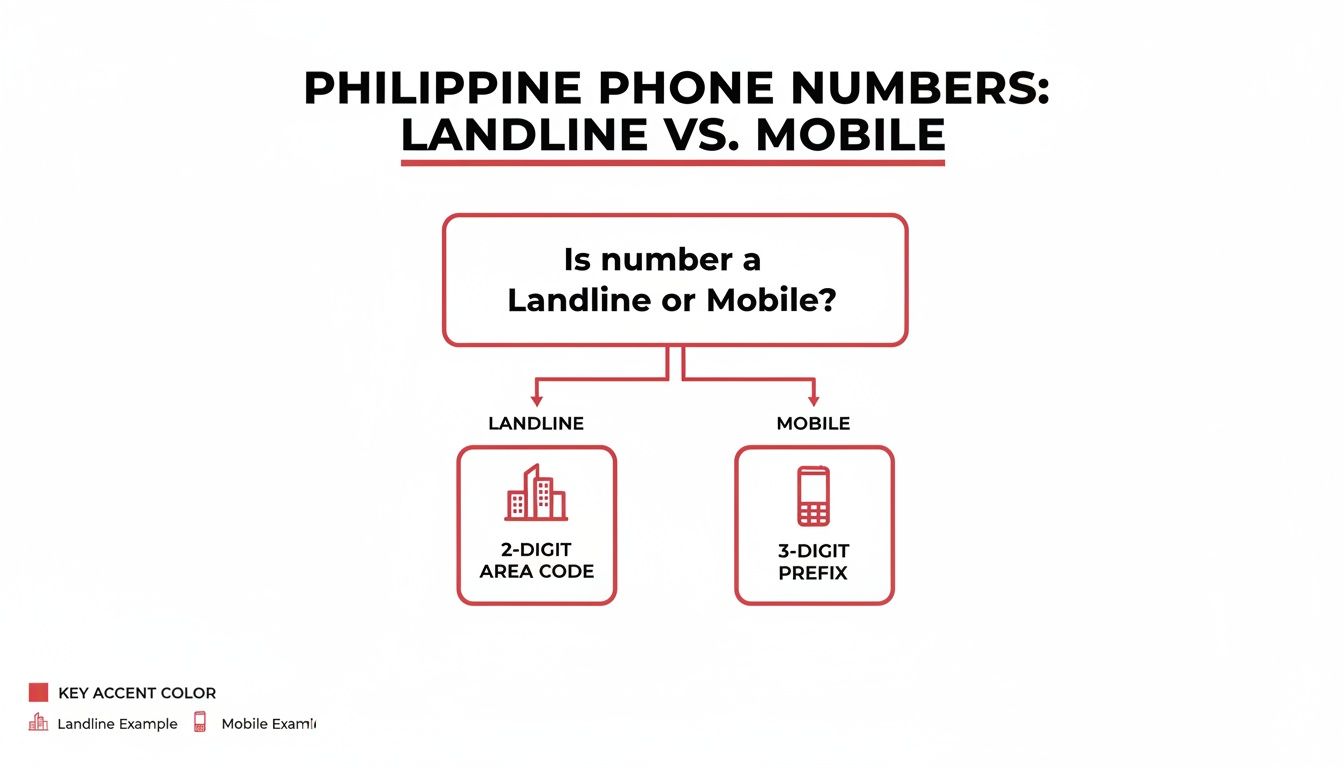
It’s a simple but crucial difference: Philippine mobile numbers start with a 3-digit prefix, while landlines use a 2-digit area code. Getting this right is the key to your call connecting properly.
The bottom line? If you're making more than a quick, one-off call, apps are easily the most practical and budget-friendly option. You get the affordability of an internet call without giving up the crystal-clear quality you expect.
To get a feel for what’s out there, it's worth checking out some of the best international calling apps to see how their features and prices stack up. You’ll be surprised how easy it is to find a perfect fit for what you need.
Knowing the right dialing codes is just the first step. The real challenge is finding a way to call the Philippines that's both cheap and secure. Forget about your traditional phone carrier—their rates are designed to be expensive. Modern solutions like VoIP and browser-based calling platforms are the smartest way to go, completely sidestepping those high fees.
With these services, you're looking at per-minute rates of just a few cents. That means you can talk for as long as you want without dreading the phone bill.
Even more important than cost, though, is security. Modern platforms offer a critical layer of protection that old-school phone lines just can't match.
Let's be clear: security isn't a luxury, it's a necessity. The Philippines has seen a staggering 225% year-over-year increase in scam calls. It now ranks second globally for suspected digital fraud, with a shocking 13.4% of all digital transactions flagged as potentially fraudulent. That's more than double the worldwide average. You can see more on this growing national crisis over at ScamWatchHQ.com.
Given these risks, using a service with encrypted connections is non-negotiable. Encryption scrambles your call data, making it completely unreadable to anyone trying to listen in. This ensures your personal and business conversations stay private.
This is where a tool like YodelPhone really makes a difference. It combines low pay-as-you-go pricing with the security features you actually need. Better yet, there are no downloads required. You call directly from your browser, which immediately reduces your exposure to sketchy software or apps.
Another practical feature that boosts both security and professionalism is the ability to set a custom caller ID. When your own phone number shows up on the recipient's screen, it instantly builds trust. They're far more likely to answer a number they recognize.
This is a small detail that has a huge impact for:
Affordable calling shouldn't mean sacrificing your peace of mind. By choosing a modern, secure platform, you get the best of both worlds. To dive deeper into the mechanics, check out our complete guide on how to make international calls for more expert tips.
Ever notice how many of your business calls, from customer support to virtual assistants, are routed through the Philippines? That's no accident. It's the result of a massive global shift that has turned the country into an indispensable partner for international companies.
If you work with freelancers, remote teams, or BPOs, you're already part of this trend. This is why having a reliable, affordable way to call the Philippines isn't just a nice-to-have—it's a core business need.
Let's be clear: the Philippines isn't just a popular spot for outsourcing. It's the undisputed call center capital of the world. Global brands you use every single day rely on its workforce to power their customer service.
With a commanding 16% of the global outsourcing market share, this industry is an economic titan. It employs 1.8 million people and injects $38 billion into the national economy every year, making it a critical source of employment for the country's youth. You can get the full story on the global BPO market from FlatworldSolutions.com.
What this means for you is simple: your need to call the Philippines is part of a much bigger economic engine. Good communication isn't just about small talk; it's about plugging your business into a vital global workforce.
When your calls are clear, professional, and don't break the bank, you gain a serious competitive edge. This is where a modern tool like YodelPhone becomes a real asset, giving you a direct, streamlined connection to this bustling business hub.
After looking at all the different ways to call the Philippines—from confusing calling cards to pricey carrier plans—it’s clear that the old methods just don’t cut it anymore. They’re either too expensive, too complicated, or not secure enough for modern needs.
The best solution is a modern, browser-based tool like YodelPhone. You can literally start calling in seconds, right from your web browser. No downloads, no complicated setup, no contracts.
Forget getting locked into subscriptions. A simple pay-as-you-go model is the way to go, where you only pay for what you actually use. With a service like YodelPhone, you can find rates to the Philippines as low as $0.02-$0.04 per minute. That's a huge saving compared to what traditional carriers charge.
The demand for international calls to the Philippines is massive and growing, with the market projected to hit $1.72 billion in 2025. This isn't surprising, given the country's key role in global business and the millions of Filipinos abroad staying connected with family. You can dig into the full research on the international call services market to learn more.
This is where a tool designed for this reality really shines. YodelPhone cuts through all the usual hassle:
YodelPhone just makes sense. It’s the simple, affordable, and secure way to connect with the Philippines for both personal and business calls, solving all the biggest headaches in one easy-to-use platform.
Alright, let's wrap up by tackling some of the questions that always pop up when you're trying to call the Philippines. Getting these details right from the start can save you a lot of headache and money down the road.
First off, everyone wants to know about the cost. Hands down, using a VoIP service or a browser-based calling platform is the cheapest way to go. Traditional phone companies just can't touch the low per-minute rates you'll find with internet-based services, which often come in at just a few cents.
Another thing that trips people up is figuring out if they're dialing a mobile number or a landline. It's actually pretty simple.
After the +63 country code, Philippine mobile numbers always start with a 3-digit prefix, like 917 or 919. Landline numbers, on the other hand, use a 2-digit area code like 2 for Manila. Knowing this little trick makes a huge difference.
And what about free apps like WhatsApp or Viber? They’re great, but they come with a huge catch: both you and the person you're calling need to have the same app installed and a solid internet connection. That's fine for a quick chat with a friend, but it's not a reliable solution for business calls or for reaching someone on their actual phone line.
This is a critical point. App-to-app calling is one thing, but those apps can't connect to a regular landline phone. For a deeper dive, check out our guide on why WhatsApp can't call landlines and what you can do about it.
Getting this right ensures your call goes through every single time.
Ready for dead-simple, affordable, and secure calls to the Philippines? YodelPhone gets you set up in seconds, right from your browser. No downloads, no contracts, just crystal-clear calls. Start your one-minute free trial today!
Unlock affordable global calling with a pay as you go international phone service. Learn how to save on calls without contracts or hidden fees.

Discover how to make cheap international calls from any device. Our guide explores the best apps, VoIP services, and tips for clear, low-cost calling.

Discover the cheapest international calling rates. Our guide compares VoIP, calling cards, and browser-based services to help you save on every call.

Discover how to make cheap overseas calls with simple, proven methods. Our guide covers VoIP, browser calling, and tips to slash your international bill.