
make an international call for free
How to Make an International Call for Free in 2024

Forget everything you know about expensive long-distance charges. The days of paying a fortune just to call someone overseas are over.
Today, you can make an international call for free using services you probably already have, like internet-based apps (think WhatsApp or Signal), clever browser-based platforms offering free trials, or even your phone's built-in Wi-Fi Calling feature.
These methods completely bypass old-school carrier networks, letting you connect with anyone, anywhere, using just an internet connection.
Believe it or not, the average cost of an international call has dropped by a staggering 40% since 2020. This shift is almost entirely thanks to VoIP (Voice over Internet Protocol) services that have made global communication accessible to everyone.
This guide is designed to cut through the noise. No confusing tech talk, just straightforward, actionable steps to help you call friends, family, or colleagues across the globe without the ridiculous price tag.
Not sure where to start? The best method really depends on your specific situation—who you're calling, what kind of phone they have, and whether you're traveling. To make it simple, here's a quick breakdown of the most common options.
| Method | What You Need | Best For | Potential Limitations |
|---|---|---|---|
| VoIP Apps | Both people need the same app & a smartphone | Calling other app users with smartphones | Can't call landlines or basic phones; requires stable internet for both parties |
| Browser VoIP Trials | A web browser & internet connection | Calling landlines or mobile numbers directly | Trial credits are limited; requires adding funds for continued use |
| Wi-Fi Calling | A supported smartphone & carrier plan | Calling your home country for free while abroad | Doesn't work for calls to other international numbers; carrier support varies |
Each of these methods solves a different problem. VoIP apps are great for daily chats with tech-savvy friends, browser trials are perfect for one-off calls to businesses or landlines, and Wi-Fi calling is a lifesaver for travelers.
To figure out the best path for your call, just follow this simple decision tree. It'll point you to the right solution in seconds.
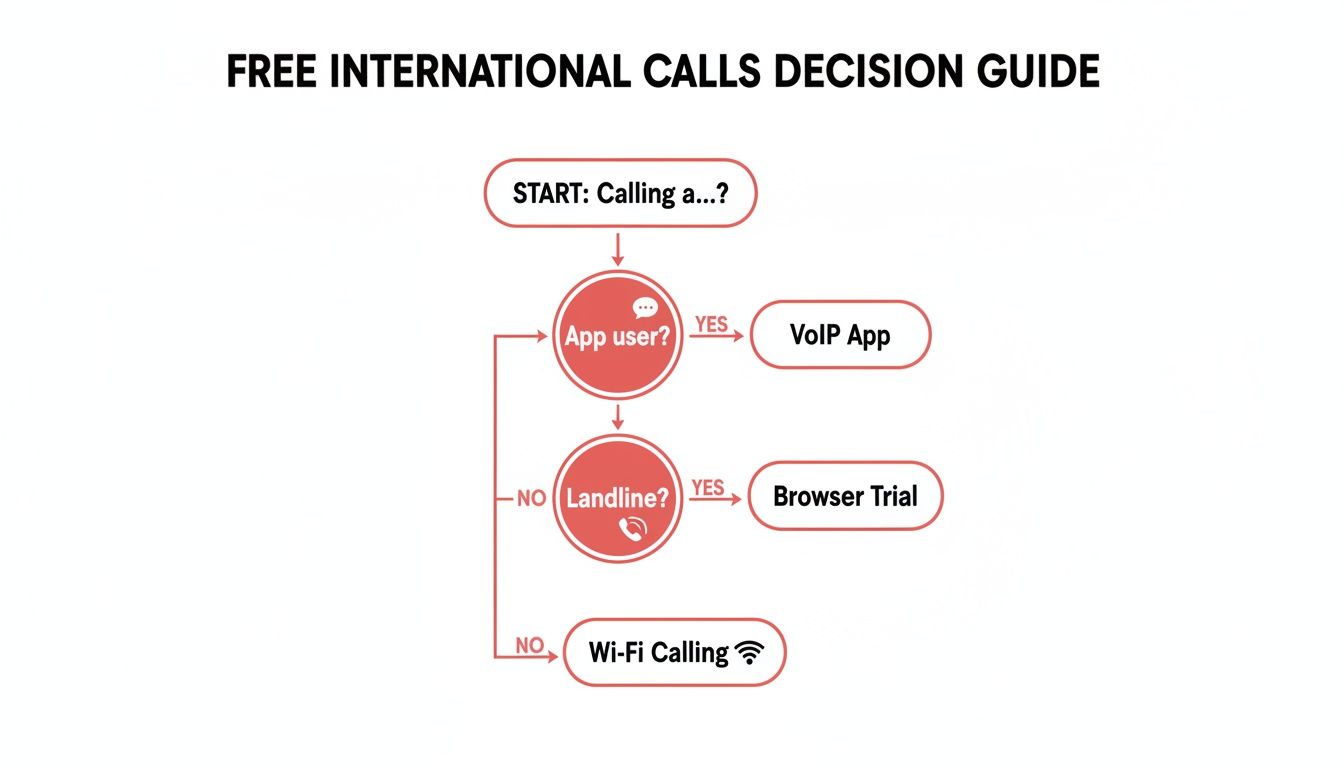
As you can see, the path is usually pretty clear. If the person you're calling has a smartphone and the same app as you, a VoIP app is the easiest choice. If not, a browser trial is your best bet for reaching a landline. And if you're traveling abroad and need to call home, Wi-Fi Calling is the way to go.
Key Takeaway: The most reliable way to make a free international call is when both you and the other person use the same VoIP app over a good internet connection.
Understanding these options is the first step. If you want to dig deeper into the specifics, check out our complete guide on how to make international calls. We’ll explore each of these methods in more detail ahead, so you can start connecting without worrying about the cost.
If you have a smartphone and a Wi-Fi connection, you're already holding the key to making a free international call. Voice over Internet Protocol (VoIP) apps are easily the most popular way to connect with people globally without getting hit with carrier fees.
These apps work by sending your voice as data over the internet, completely sidestepping traditional phone networks. As long as you and the person you're calling have the same app and a decent internet connection, the call is 100% free. No matter where you are in the world.
The beauty of VoIP apps is their sheer simplicity. The setup for most of them—like WhatsApp, Signal, or Telegram—is practically identical. You download the app, verify your number, and you're good to go. The app even scans your contacts and instantly shows you who you can call for free.
Making a call is as easy as tapping a button.
The only real catch? You and your contact must have the same app installed. If you're a student in London trying to ring your family in Mumbai, you'll all need to be on WhatsApp. Honestly, it's a tiny bit of coordination that pays off with unlimited free chats.
While app-to-app calls are free, they do use your internet data. If you're on Wi-Fi, you don't even have to think about it. But if you're out and about on mobile data, it’s smart to keep an eye on your usage, especially when you're traveling.
Luckily, voice calls don't actually use that much data.
For example, WhatsApp is available in over 180 countries and uses its VoIP tech to route calls over your data connection. An average call uses just around 300MB for a whopping seven hours of talk time. That makes it an incredible tool for expats and families living oceans apart.
Another potential snag is app availability. Some countries put restrictions on certain VoIP services. Before you settle on an app, just do a quick search to make sure it works in your contact's region. If WhatsApp happens to be blocked, an alternative like Signal or Telegram might work perfectly. Exploring the best international calling apps can give you a solid backup plan.
Pro Tip: If your call quality is choppy, try switching your Wi-Fi from a 2.4GHz network to a 5GHz one if you have the option. The 5GHz band is usually less crowded and provides a more stable connection, which can make a world of difference for VoIP clarity.
At the end of the day, VoIP apps are the most accessible and cost-effective way to make an international call for free. They take minutes to set up and deliver great quality on a decent internet connection. Just make sure you and your contact are on the same page—and the same app—before you hit dial.
So, what happens when you need to call someone internationally, but they don't have WhatsApp or another calling app? This is a classic problem, especially if you're trying to reach your grandparents on their landline or call a business overseas.
Thankfully, you're not stuck. Browser-based calling services are the perfect workaround. Many of these platforms offer free trial credits to new users, letting you call real phone numbers—both mobile and landline—right from your computer's web browser. No app download needed.
This is the ideal solution for a quick, one-off call. Think about needing to confirm a hotel reservation in Paris or wishing your grandmother in Rome a happy birthday on her landline. A browser trial gives you just enough minutes to do that without ever pulling out your wallet.
The trick is finding services that give you these introductory credits, often without even asking for a credit card. A quick search for "free international call online" or "browser phone free trial" will pull up plenty of options. The signup process is almost always designed to get you calling in minutes.
Here’s the general flow you can expect:
It's that simple. You can be talking to someone on the other side of the planet in less time than it takes to brew a cup of coffee.
While these trials are fantastic, remember they’re a taste test, not an all-you-can-eat buffet. They come with a few strings attached.
Most trials have either a time limit or a credit limit. You might get a set number of minutes, like 5-10 minutes of talk time, or a small monetary credit, like $1.00, to spend as you wish.
Also, be mindful of destination restrictions. Some trials only let you call a handful of popular countries. It's always a good idea to check their supported destinations list before you sign up to avoid disappointment.
Finally, this is a one-time offer. These trials are strictly for new users. Once your free minutes are gone, you’ll need to add funds to keep calling.
Key Insight: Browser-based trials are your best bet for a quick, one-time international call to a landline. They bridge the gap left by apps like WhatsApp, which can't connect to traditional phone numbers.
This is a critical distinction. While many people default to popular apps, they hit a wall when a landline is involved. To understand why this happens, you can check out our guide explaining why WhatsApp can't call landlines. It clarifies exactly why browser-based tools are so essential for these specific situations. By taking advantage of these free trials, you can easily make that important connection without any upfront cost.
Beyond third-party apps, your smartphone already has a powerful tool for making free international calls: Wi-Fi Calling. It's a feature that lets your phone make calls over a Wi-Fi network instead of the cellular network. For travelers, this is an absolute game-changer.
Let's say you're visiting Spain from the U.S. By simply connecting to your hotel's Wi-Fi and flipping on this setting, you can call any U.S. number—your bank, a friend, your family—as if you were still standing in your living room. The call is treated as a domestic one, completely dodging those outrageous international roaming fees.
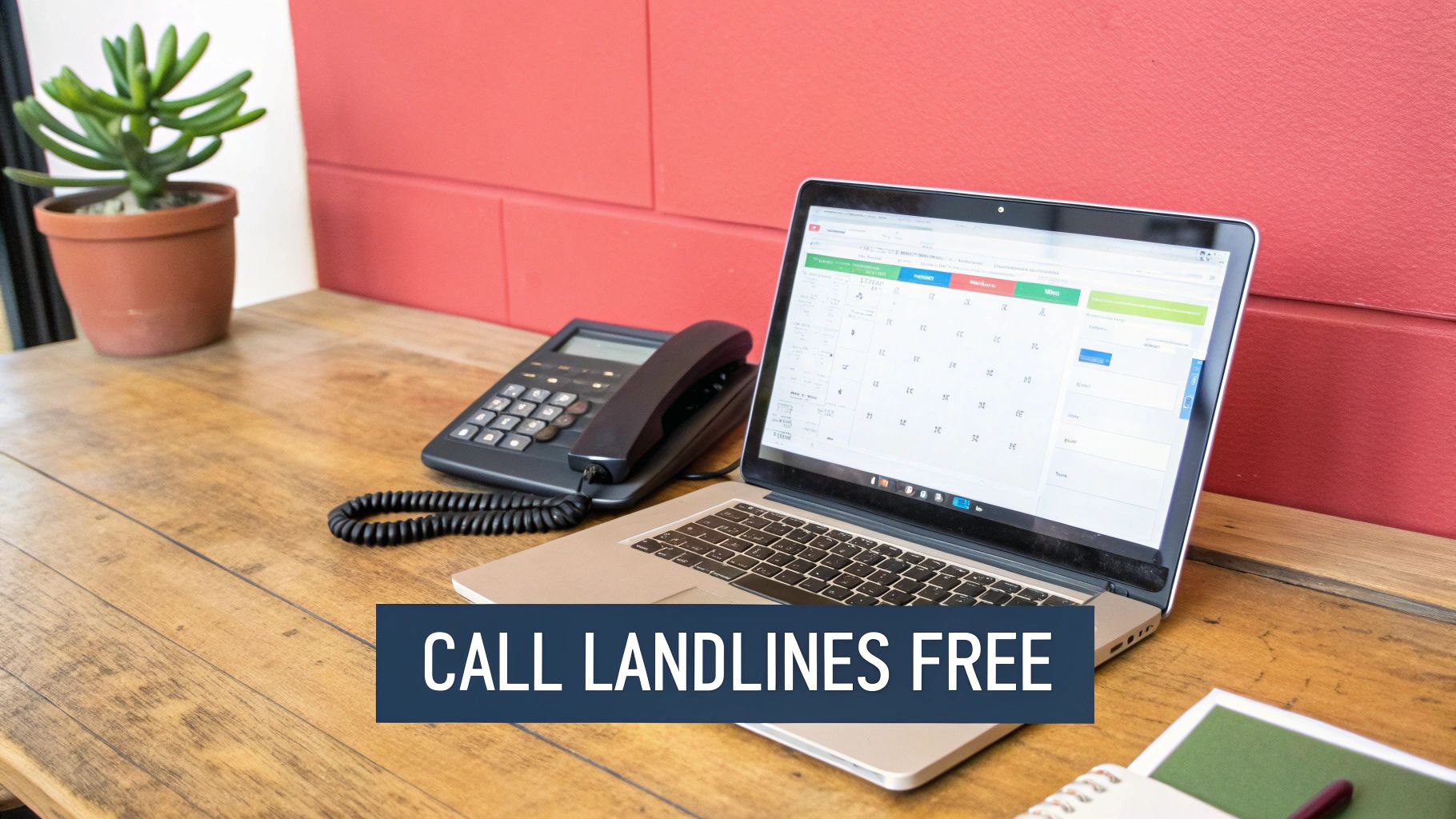
It’s the perfect way to stay in touch with folks back home without spending a dime extra.
Activating Wi-Fi Calling is quick and painless. The steps are slightly different for iPhones and Androids, but it's a "set it and forget it" kind of thing. Once it's on, your phone will automatically switch to Wi-Fi for calls whenever you're connected to a good network.
For iPhone Users:
For Android Users:
You might be asked to confirm your emergency address, which is a standard step. Once that's done, you’re all set to make calls over any Wi-Fi connection you join.
While Wi-Fi Calling is fantastic, it's crucial to understand how the "free" part works. This feature is designed to let you use your regular domestic calling plan from anywhere in the world. It is not for making free calls to every country.
Here’s the key takeaway: Calling a U.S. number from Spain using Wi-Fi Calling is free. But calling a local Spanish number or a number in France from Spain will almost certainly be billed by your carrier as a pricey international long-distance call.
Think of it as a tool for calling home, not for making calls within or to other foreign countries. As long as you remember that, it's an incredible way to save money while traveling and avoid surprise charges on your next phone bill.
So, you've found a way to make an international call for free. That's the easy part. But even "free" calls aren't always flawless. Technical glitches can quickly turn a heartfelt conversation into a frustrating mess of echoes, dropped connections, and garbled audio.
Fortunately, most of these issues are surprisingly easy to fix. Let's walk through the most common ones.
Poor call quality is the number one complaint, and nine times out of ten, it’s an internet problem. A weak or congested Wi-Fi signal is almost always the culprit. If your calls are choppy or keep dropping, the first thing you should do is move closer to your router or try a different network if one is available.
Here’s a simple trick that works wonders: switch your Wi-Fi from the standard 2.4GHz band to the 5GHz band. If your router supports it, the 5GHz frequency is typically way less crowded and offers faster speeds, which means a much more stable connection for voice calls.
Another common headache is unexpected data usage, especially when you step away from Wi-Fi. Voice calls don't guzzle data like video streaming, but those minutes can definitely add up. Most VoIP apps have a built-in data-saving mode to help with this.
Settings > Storage and Data and toggle on "Use less data for calls."Settings > Data usage and set your calls to "Wi-Fi only" or your preferred setting.Flipping these switches might slightly reduce the audio quality, but it can slash your mobile data consumption, making sure your "free" call doesn't come with a nasty data bill later.
Key Insight: Most "free" calling problems are actually internet problems. Before you blame the app, run a quick speed test or just try loading a webpage. A stable, low-latency connection is the foundation of a clear VoIP call.
One of the trickiest problems you can run into is trying to call a country where VoIP services are restricted or even blocked. This is a well-known issue in places like the UAE or parts of China, where local regulations make it difficult to use apps like WhatsApp or Signal for calling.
These blocks are usually in place for economic and regulatory reasons, forcing all call traffic through the state-owned telecom companies. While it might be tempting to try and bypass these restrictions, it's often unreliable and can be risky.
A much better approach is to find a legitimate, browser-based calling service that’s known to work in that region. Platforms like YodelPhone often work seamlessly because they operate differently from app-based services and aren't subject to the same kind of blocking.
As technology evolves, many of these challenges are fading. With 5G expected to reach 60% global coverage by 2025, truly free and reliable calls are becoming the norm. This shift means anyone—from families in Nigeria to sales teams in Tokyo—can connect globally without worrying about bills. You can read more about these global calling trends and their market impact.
By understanding these common hurdles ahead of time, you can have a backup plan ready and ensure you’re never left without a way to connect.
Diving into free international calling can bring up a few questions. Let's clear up some of the most common ones so you can call with confidence and avoid any surprises.
Yes and no. The apps themselves, like WhatsApp or Signal, don't charge you a fee for calling another person who also has the app. In that sense, the call is free.
But there's a catch: these calls run over the internet. This means they're using either your Wi-Fi or, more importantly, your mobile data. A typical voice call on WhatsApp uses around 0.5 MB per minute. That's not much for most people, but it's something to keep an eye on, especially if you're traveling and paying for roaming data.
This is where most people get tripped up. The vast majority of popular apps like WhatsApp only let you call other people who have the same app installed on their smartphone. You can't just open the app and dial your grandmother's landline.
So, how do you make an international call for free to someone without the app? You have a couple of solid options:
The quality of your call comes down to one thing: your internet connection. A strong, stable Wi-Fi signal or a fast 5G/4G connection will almost always give you crystal-clear audio. In many cases, it’s even better than a traditional phone call.
If you're hearing echoes, experiencing delays, or the call keeps dropping, it's almost certainly a problem with a weak internet connection—either on your end or the person's you're calling. Moving closer to your router or switching from mobile data to Wi-Fi can often fix it in seconds.
Bottom line: a great connection means a great call. It's always a good idea to check your internet speed before you start an important conversation.
Ready to make clear, affordable international calls without the hassle? YodelPhone lets you call any landline or mobile number directly from your browser—no downloads, no contracts. Try it now with a free one-minute call and see how easy it is to connect globally.

Try a free international call trial instantly in your browser - no downloads or card required. Test call quality and connect globally in seconds.

Uncover what is VoIP and how does it work with this clear, step-by-step guide. Learn the basics, benefits, and how to start making calls over the internet.

Discover how international VoIP calls can save you money and simplify global communication. Learn how they work and how to get started in minutes.

Discover how to reduce phone bills with simple audits, smarter plan choices, and money-saving tools.